Features
Everything your AI can do — safely.
Hand an AI assistant the keys to your whole WordPress site. It builds, designs, runs the shop, backs up and even extends itself — and every move is snapshotted, audited and reversible.
one plugin · one licence · runs on your own server
Build
Build the whole site
Describe what you want; it builds the real thing — from a single page to an entire store.
Knows your exact site
Before it builds, it reads what’s actually installed here — your plugins and versions, and how they’re configured, right down to your WooCommerce and payment setup — so its work fits your site, not WordPress in general. Read-only, and secrets are never exposed.
Pages, posts & products
Create and edit pages, posts and any registered post type — WooCommerce products, custom post types — as native blocks or raw HTML.
The whole site’s design
Edit the header, footer and page templates, set global fonts and colours, and wire up the navigation menus. Not just the body — the entire look.
Designer-grade, no bloat
Bring your own CSS or Tailwind and ship bespoke, hand-built pages — no page-builder lock-in or shortcode soup.
Media & settings
Upload images by URL or file (SSRF-guarded), then set the homepage, title, tagline and permalinks.
Blocks, raw HTML & page builders
Robust core blocks for everyday content, a full-bleed HTML canvas when the brief calls for it — or genuine, editable Elementor or Bricks pages — Elementor classic + V4 “atomic” widgets, or native Bricks elements — built straight from data, with the builder flags and CSS handled for you. It can even build a complete block theme (FSE) from scratch and edit its templates & theme.json in place.
Why you can relax
Safety you can rely on
Most AI tools assume the happy path. YOLO assumes things go wrong — so it’s safe to run on a live site.
Self-healing & emergency recovery
Most AI tools assume nothing breaks. YOLO assumes it will — three layers keep a bad change from ever leaving your site down:
- ●Self-healing loader — a fataling AI-written extension is auto-quarantined, at load or on a later hook, so the site never white-screens.
- ●Break-glass recovery — an opt-in page brings a fully downed site back even when wp-admin and the API are gone.
- ●Command line —
wp yolop recoverdoes the same over SSH. - ●Off-site & encrypted — every backup can be pushed to your own cloud storage, encrypted with a key only you hold, so you can rebuild from the cloud after total server loss.
Snapshots & undo
Every change is snapshotted; /undo reverts the last op and /redo re-applies it. Multi-step history — experiment freely.
Backups & restore
Full DB + files bundles you can restore in place or migrate onto a fresh install — different table prefix and domain handled. Integrity-checked; large sites run as resumable background jobs.
Auto-rollback
If new code, an activation, or a plugin/theme update white-screens the site, a REST + homepage health check catches it and reverts automatically — it won’t call a broken site healthy. Updates are snapshotted first, so a bad one rolls straight back to the working version.
Tamper-evident audit
Every action is recorded in a hash-chained log; /audit/verify proves it hasn’t been altered, with optional off-box shipping.
Opt-in safety switches
Writing code and installing plugins/themes stay off until you turn them on. A leaked token can’t run code or install anything while they’re off.
Scoped & read-only tokens
Issue a token limited to exactly what it needs — read-only, content-only, or full — so any one key’s blast radius is contained.
Protect mode — lock it before you hand it over
One click locks structure, legal & commerce pages, and installs/code so a client’s enthusiastic AI can’t wreck a finished site — while everyday content stays editable. Off by default (pure YOLO); enforced server-side so it holds even under an admin token — only you can lift a guard, in wp-admin.
one-clickdesign+legal+commerce lockedcontent stays freeowner-only unlock
See it in action
Your control room
Everything the AI does surfaces in one tidy place inside WordPress — review clashes, recover, and lock things down, no code required.
Safe team collaboration
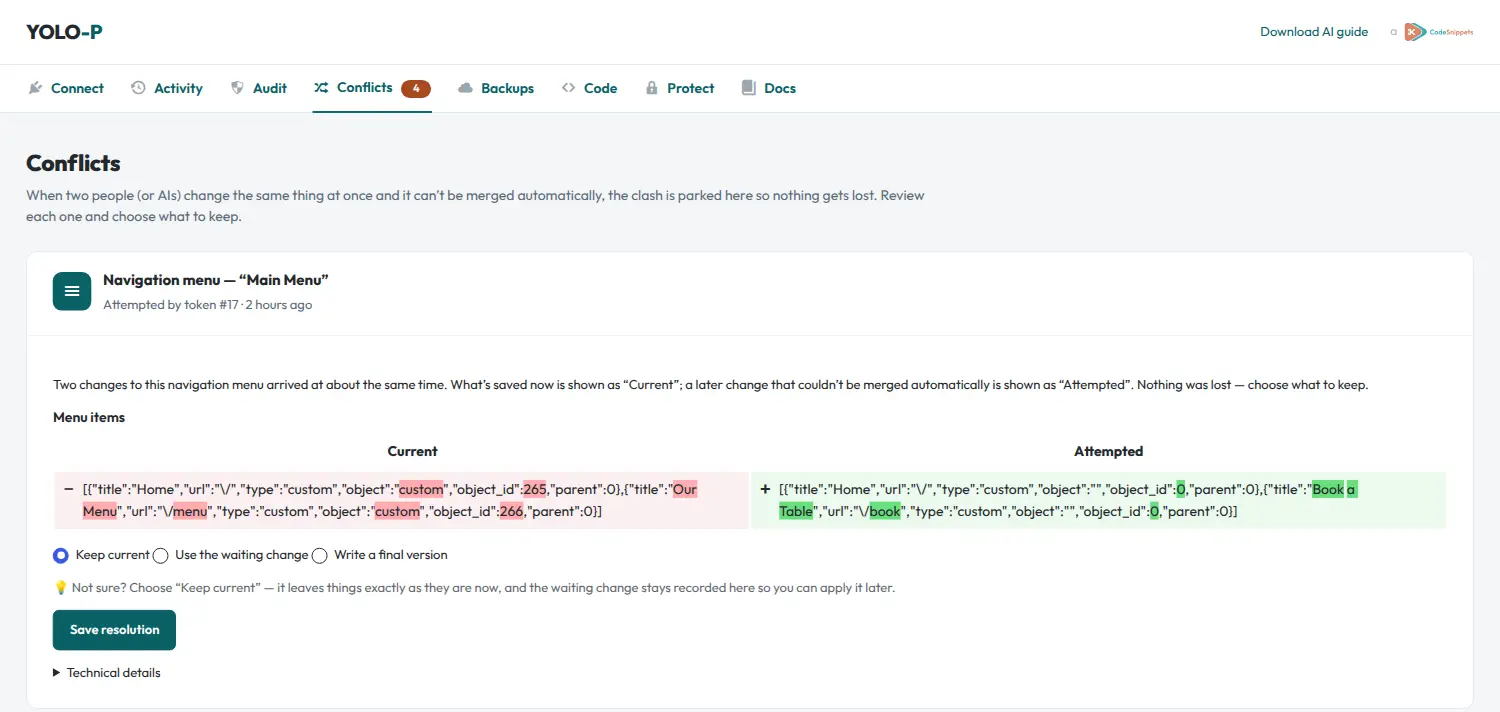
Two or more people or AIs can build the same live site at the same time. YOLO auto-merges what it can; anything it can’t goes to a Conflicts review screen where you see both versions side by side and choose — keep current, use the change, or merge. Nothing is ever overwritten, and it’s on by default.
Backups & off-site restore
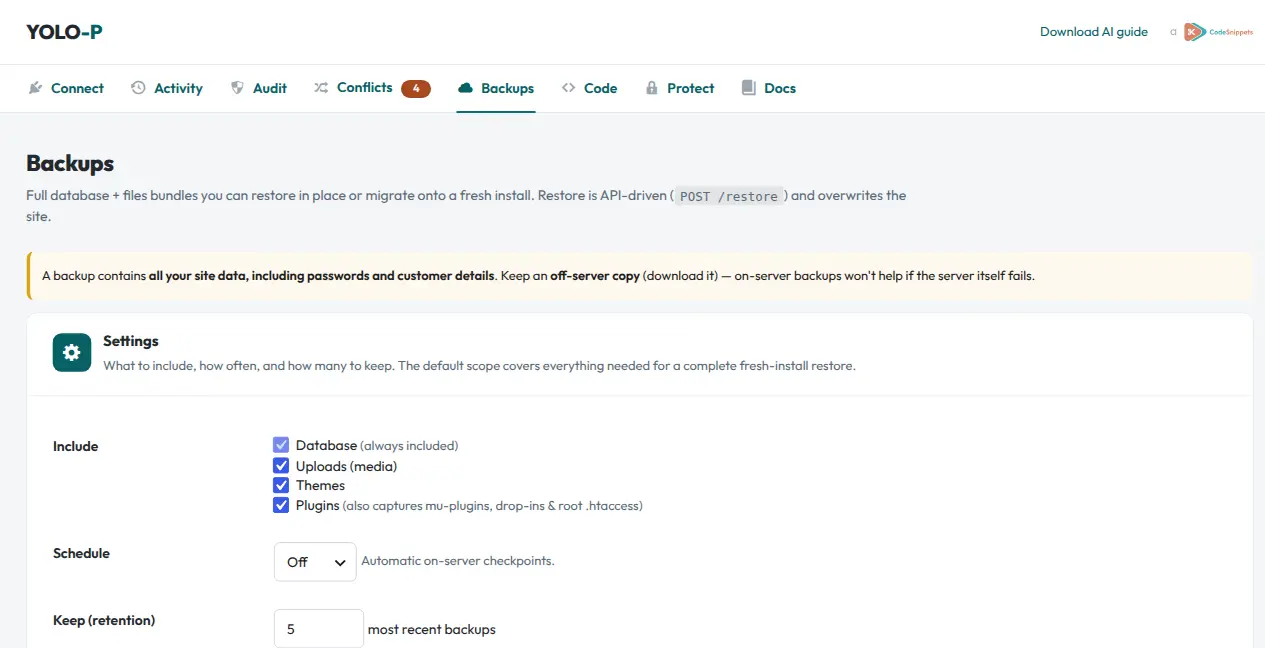
One-click full database-and-files bundles you can restore in place or onto a brand-new server. Push an encrypted copy off-site to storage you control (S3, R2, B2, Spaces…) with your own key — so you can rebuild from the cloud even after a total server loss.
Tamper-evident audit
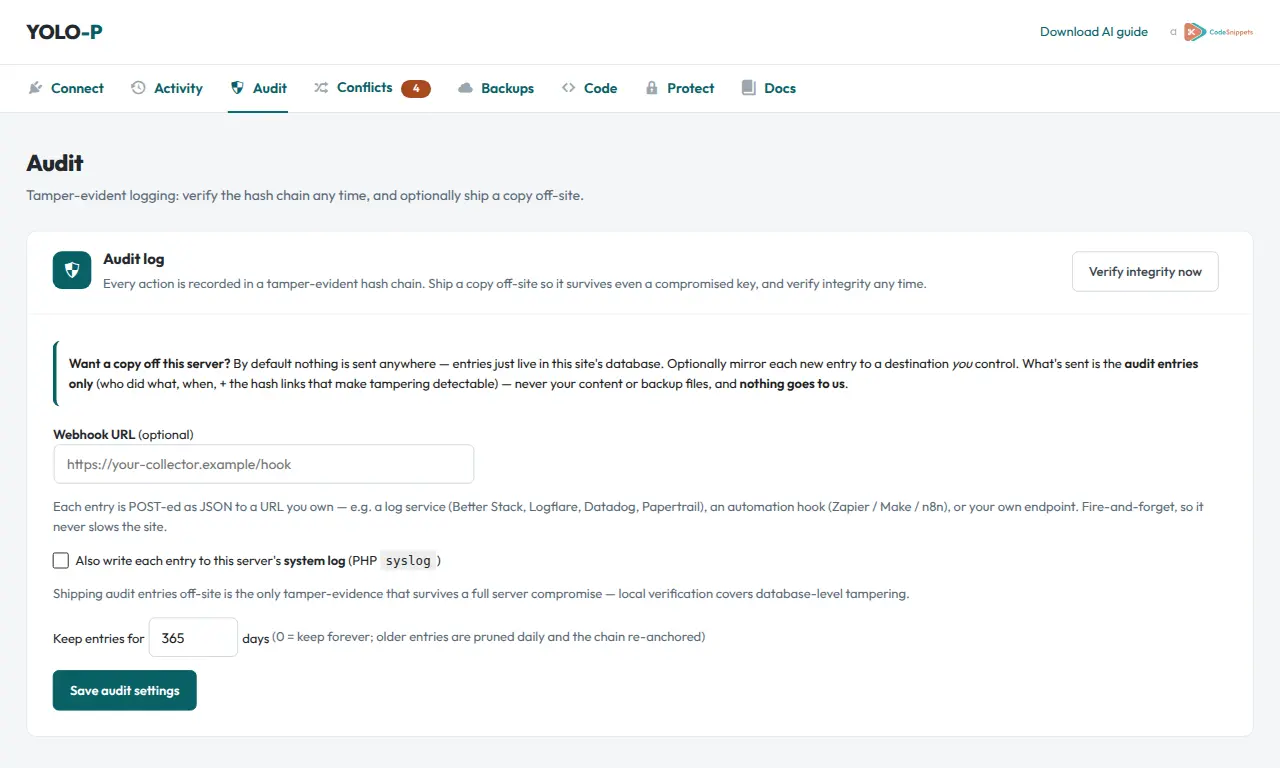
Every action the AI takes is written to a tamper-evident hash chain you can verify any time. Ship a copy off-site — to a log service or your own endpoint — so the record survives even a compromised key. Who did what, when, provably.
Bring your own AI
Works with any AI
One site, every surface. Use whatever you already pay for — YOLO meets it where it is. One-click install for Cursor & VS Code; a copy-ready command or config for everything else — or a one-upload Claude skill that even works in the Claude web app.
Project log — shared AI memory
A living record of what’s been done, in progress, and decided. Your AI reads it before it starts and updates it as it works — so context survives switching tools and multiple people on the same site. Milestones like backups and restores log automatically; you can add notes from wp-admin.
MCP server built in
Connect Claude Desktop, Cursor or Cline to the plugin’s own MCP server and just chat — no shell required.
OpenAPI for ChatGPT
Import the OpenAPI schema into a custom GPT’s Actions and drive your site from ChatGPT.
Shell & IDE agents
Claude Code, Codex CLI, Cursor’s terminal — paste the prompt and the agent talks to the token-authed REST API directly.
Self-describing
Built-in /guide, /schema and /me let any AI orient itself and report exactly what it’s allowed to do.
Go further
Extend & automate
Beyond content and design: YOLO can grow your site’s actual capabilities — even its own API.
Share extensions & kits between sites
Reuse what your AI builds without re-prompting. Share one extension — or a whole Kit of them — behind a single revocable link, and install the bundle on another site in one go, each through the usual safety gate (lint, snapshot, health-check, auto-revert). Built for agencies and multi-site owners; members stay updatable.
It adds endpoints to itself
The headline trick: the AI can register brand-new REST endpoints on its own. It doesn’t just use the API — it extends it, building bespoke features and small apps on top of your site. Each one is health-checked and auto-reverts if it would break the site.
Custom code that acts like a real plugin
The AI writes PHP to add features — each health-checked and auto-reverted if it would break the site. And unlike loose snippets, every extension gets a proper lifecycle: activate, deactivate and a clean uninstall that removes the tables, options and scheduled tasks it created — no orphaned clutter. Manage them all from wp-admin.
Share extensions between sites
Built something handy on one site? Move it to the others byte-for-byte — export and import a file, or flip on a revocable share link another site installs from and re-pulls updates. Every import runs the same health-check, lint and snapshot as any code write.
Manage front-end assets
Add and update CSS, JavaScript, images and fonts to support whatever it builds — including sanitized SVG once you switch it on.
Plugins & themes
Install, activate, safely update and remove plugins and themes. Before an update YOLO snapshots the files and health-checks the result, so a bad update auto-rolls-back to the previous version — and one bulk action updates everything that’s out of date, each reverted independently. Guarded by the same opt-in switch.
No lock-in
Own it
Powerful doesn’t have to mean dependent. YOLO stays on your terms.
One plugin, one licence
No SaaS, no subscriptions, no per-site fees. Install it and it’s yours.
Your data, your server
Your token talks straight to your site. Nothing routes through our servers.
A Code Snippets product
From the team behind Code Snippets — the same focus on doing one thing properly.
Ready to hand over the keys?
One plugin, one licence. Let your AI build on production — safely.